

Making sense of your business data shouldn’t require a massive budget or a dedicated data science team. Free business intelligence software for small business operations has become increasingly accessible in 2026, enabling entrepreneurs to transform raw numbers into actionable insights without spending a dime. Whether you’re tracking sales trends, monitoring customer behavior, or measuring marketing campaign performance, the right business intelligence tools for small businesses can fundamentally change how you make decisions.
This guide dives deep into the best free BI software available this year, examining their features, limitations, and real-world applicability for small business owners. We’ve tested each platform hands-on so you can skip the trial-and-error phase and start extracting value from your data immediately.

Why Free Business Intelligence Software Matters for Small Business in 2026
Small businesses generate enormous amounts of data—sales transactions, customer interactions, website analytics, employee records, and supply chain information. Yet most small business owners only scratch the surface of what this data could tell them. The challenge has always been cost: enterprise-level data analytics solutions for SMBs traditionally cost thousands of dollars per month, putting sophisticated reporting tools out of reach.
That barrier has collapsed. Free BI software for small business teams now offers capabilities that rival paid solutions from just three years ago. Visual dashboards, automated reporting, real-time data pipelines, and AI-assisted insights are no longer exclusively for large corporations with dedicated IT departments.
The strategic advantage is clear: small businesses that leverage free reporting tools for small business operations can respond faster to market changes, identify emerging opportunities before competitors, and allocate resources more efficiently. In a landscape where margins are thin and agility matters more than ever, data-driven decision-making isn’t a luxury—it’s survival.
Top 10 Best Free Business Intelligence Software for Small Business 2026
1. Zoho Analytics — Best Overall Free BI Platform
Zoho Analytics stands out as the most comprehensive free business intelligence solution available for small businesses in 2026. The platform offers up to 2 users and 10,000 rows of data per workspace at no cost, which is generous compared to competitors. You get drag-and-drop dashboard creation, over 50 pre-built report types, and AI-powered analytics assistant Zia.
Key strengths include seamless integration with other Zoho products (CRM, Books, Inventory) as well as non-Zoho apps through REST API connectors. The natural language query feature allows you to ask questions like “What were our top-selling products last quarter?” and receive instant visual answers. For small businesses already using Zoho’s ecosystem, this is arguably the best data analytics tool for small business teams on the market.
- Free tier: 2 users, 10,000 rows, 3 workspaces
- Data sources: 100+ pre-built connectors
- Best for: Small businesses already in the Zoho ecosystem
2. Google Looker Studio (Formerly Data Studio) — Best for Data Visualization
Google Looker Studio remains the top choice for small businesses that need to create shareable, interactive dashboards without any cost. Completely free with a Google account, it connects seamlessly to Google Analytics 4, Google Ads, BigQuery, Sheets, and hundreds of other data sources through built-in connectors.
The platform excels at transforming complex datasets into clear, visually appealing reports. Its community visualization gallery provides access to thousands of pre-built templates and custom chart types. For small business reporting tools that need to be shared across teams or with external stakeholders, Looker Studio’s web-based sharing model is unmatched at the free tier level.
Limitations include slower performance with very large datasets and occasional data freshness issues with certain connectors. But for most small business use cases—sales dashboards, marketing performance reports, website analytics—Looker Studio delivers exceptional value at zero cost.
- Free tier: Unlimited users, completely free
- Data sources: 800+ connectors including all Google products
- Best for: Small businesses heavily invested in Google products
3. Microsoft Power BI Free — Best for Windows Users
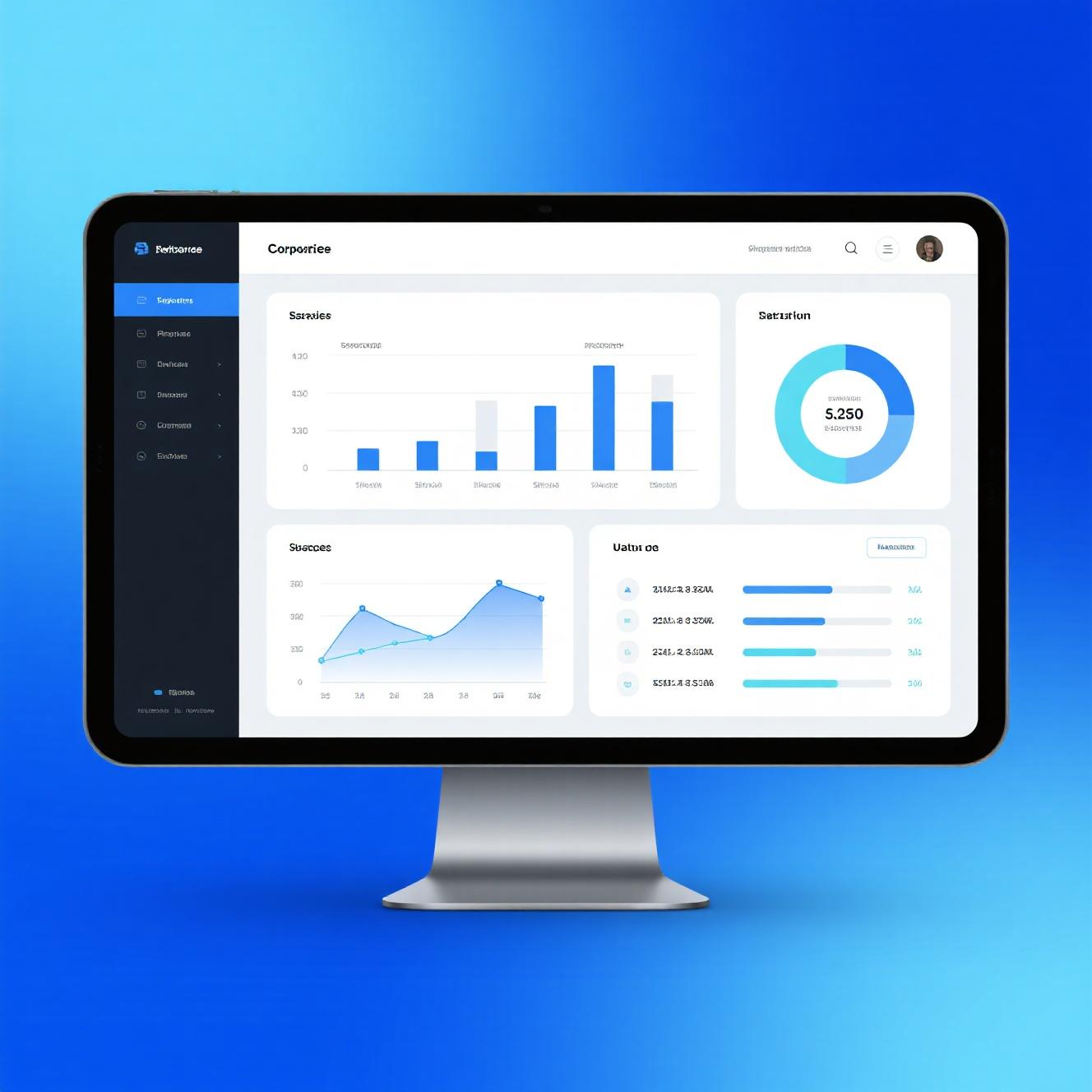
Microsoft Power BI’s free desktop version is one of the most powerful free BI tools for small business analytics available. The Power BI Desktop application allows you to connect to hundreds of data sources, transform data with Power Query, build data models with DAX formulas, and create rich interactive reports—all without paying anything.
Where Power BI Free shines is in its depth. Unlike browser-based tools, Power BI Desktop offers advanced data modeling capabilities that rival expensive enterprise solutions. If you’re willing to invest time in learning DAX and Power Query, you can build highly sophisticated reports. The recently added AI Insights feature automatically detects patterns and anomalies in your data.
The trade-off is that the free tier is desktop-only—you can’t share reports via the Power BI service without a Pro subscription ($10/user/month). However, you can export reports as PDFs or PowerPoint files to share manually. For solo small business owners or those with dedicated IT support, Power BI Desktop is extraordinarily capable business intelligence software.
- Free tier: Power BI Desktop (desktop application), unlimited users
- Data sources: 150+ native connectors
- Best for: Solo analysts and Windows-based small businesses
4. Grafana Cloud Free — Best for Operational Analytics
Grafana Cloud Free is an often-overlooked free BI solution for small business teams focused on operational metrics. While Grafana is famous for IT monitoring, its强大的可视化 capabilities make it equally valuable for business dashboards. The free tier includes 10,000 active metrics, 50GB of logs, and 3 users.
What sets Grafana apart is its flexibility—connect it to databases, APIs, IoT sensors, or business applications and create real-time dashboards that update automatically. If your small business relies on real-time operational data (manufacturing metrics, website uptime, inventory levels), Grafana’s sub-second data refresh gives you insights competitors using daily batch reports simply can’t see.
The learning curve is steeper than drag-and-drop alternatives, but for technical small business owners or those with a tech-savvy team member, Grafana Cloud Free offers unmatched operational intelligence capabilities at the $0 price point.
- Free tier: 10,000 metrics, 50GB logs, 3 users, 90-day retention
- Data sources: Native support for databases, APIs, and IT monitoring tools
- Best for: Technical teams needing real-time operational dashboards
5. Tableau Public — Best for Visual Storytelling with Data
Tableau Public is an excellent free data visualization tool for small business users who prioritize visual impact. Create stunning, interactive charts and dashboards that you can publish publicly to the Tableau Public gallery—a unique benefit for businesses wanting to showcase their data stories online.
The platform connects to spreadsheets, Google Sheets, Salesforce, and other cloud data sources. Tableau’s drag-and-drop interface is incredibly intuitive, and the visualization quality is universally recognized as best-in-class. Small businesses can create publication-ready charts and embed them on websites or in presentations.
The primary limitation is that all work is public by default—you cannot keep dashboards private without a paid Tableau Creator license. Additionally, data is limited to 10GB on the public server. For small businesses comfortable with public dashboards and moderate data volumes, Tableau Public is one of the most visually impressive business intelligence tools for small teams.
- Free tier: Unlimited dashboards, 10GB storage, public sharing only
- Data sources: Spreadsheets, Google Sheets, Salesforce, Web data connectors
- Best for: Businesses prioritizing data visualization and public storytelling

6. Apache Superset — Best Self-Hosted Free BI Solution
Apache Superset is an open-source business intelligence platform that small businesses can deploy on their own servers at zero software cost. It’s used by major companies like Airbnb, Lyft, and Twitter for internal analytics, which speaks to its enterprise-grade capabilities. If you have basic technical resources, Superset offers incredible value.
Features include a SQL IDE for data analysts, a no-code chart builder for business users, customizable dashboards, and support for 20+ database connectors including PostgreSQL, MySQL, Google BigQuery, and Amazon Redshift. Superset handles large datasets efficiently through its caching layer and async query execution.
The catch is that you need to host and maintain Superset yourself. For small businesses without dedicated IT staff, this may be impractical. But for technically inclined entrepreneurs or those with developer resources, Superset provides one of the most powerful free BI software for small business analytics on the market.
- Free tier: Completely free, self-hosted
- Data sources: 20+ database connectors including all major SQL databases
- Best for: Technical small businesses comfortable with self-hosting
7. Metabase — Best for Non-Technical Users
Metabase is the most user-friendly open-source BI tool for small business teams without technical backgrounds. Its signature “Pinch” feature lets anyone query databases by asking questions in plain English—no SQL knowledge required. Results are automatically visualized as charts or tables, making it accessible to the least technically inclined team members.
The platform supports 15+ data source types out of the box and can be self-hosted or used via Metabase’s cloud option (with a free tier). Metabase’s embedded analytics feature lets you add interactive charts to your own applications, which is valuable for B2B small businesses wanting to offer analytics to their customers.
The free tier’s main limitation is the cloud version’s restriction to 10 people in your organization. Self-hosted Metabase removes this limit entirely, though it requires server management. For pure usability and democratizing data access across your team, Metabase is the best free business intelligence software for small business operations that need simplicity.
- Free tier: Cloud: 10 users, unlimited questions; Self-hosted: unlimited
- Data sources: 15+ including PostgreSQL, MySQL, MongoDB, Google Analytics
- Best for: Non-technical teams wanting self-service analytics
8. IBM Cognos Analytics — Best Enterprise Features for Free
IBM Cognos Analytics offers a surprisingly capable free tier that provides small businesses with access to enterprise-grade business intelligence tools. The platform includes AI-powered analytics, natural language querying (“ask questions in plain English”), automated insights, and collaboration features typically found in premium solutions.
Cognos Analytics handles large data volumes efficiently and integrates well with IBM’s broader ecosystem. The recently improved UI addresses historical usability concerns, making the platform more accessible to non-technical users. Dashboards can be shared via the IBM Cognos Analytics portal, and the embedded AI assistant helps guide users toward insights they might have missed.
While IBM Cognos requires a steeper learning curve than some alternatives, the free tier is remarkably comprehensive. Small businesses get access to enterprise-level reporting, dashboarding, and data exploration capabilities without the typical enterprise price tag.
- Free tier: 500MB data capacity, limited users
- Data sources: Broad enterprise database and cloud integration
- Best for: Small businesses wanting enterprise-grade BI capabilities
9. Speak AI — Best for Qualitative Data Analysis
Speak AI is a unique free BI tool for small business market research that specializes in qualitative data analysis—specifically transcribing and analyzing audio and video content. If your small business conducts interviews, focus groups, or recorded customer conversations, Speak AI automatically transcribes and extracts themes, patterns, and sentiment from the data.
While not a traditional BI dashboard tool, Speak AI fills a critical gap for small businesses that rely heavily on qualitative customer insights. The free tier includes 200 minutes of transcription per month, which is generous for small-scale research. Integration with Zapier extends its capabilities to connect with CRM systems and other business tools.
This platform is particularly valuable for small agencies, consultancies, and product teams that gather substantial qualitative data but lack tools to systematically analyze it. When combined with traditional data analytics solutions for SMBs, Speak AI provides a well-rounded analytics toolkit.
- Free tier: 200 minutes transcription/month, 3 seats
- Data sources: Audio/video uploads, Zoom integration
- Best for: Small businesses with qualitative research needs
10. Databricks Community Edition — Best for Big Data Analysis
Databricks Community Edition is a free tier of the popular unified analytics platform that brings big data processing and machine learning capabilities to small businesses. If your small business deals with large datasets—millions of rows, log files, IoT data streams—Databricks’ cluster-based processing can handle what desktop BI tools cannot.
The platform is built on Apache Spark, meaning it can process massive datasets at speed. Python, R, SQL, and Scala support make it attractive to technical small business analysts. Collaborative notebooks enable team members to share and reproduce data analysis workflows. The Lakehouse architecture lets you store and analyze both structured and unstructured data.
For most small businesses, Databricks is overkill. But for data-driven startups and technical small businesses working with significant data volumes, the Community Edition provides free access to powerful business intelligence software for small business analytics infrastructure that would otherwise cost thousands monthly.
- Free tier: 6GB cluster, Community Edition cloud notebooks
- Data sources: Cloud storage, databases, streaming data
- Best for: Data-driven startups with technical teams and big data needs

How to Implement Free Business Intelligence Software in Your Small Business
Getting started with free business intelligence software for small business operations requires more than just signing up for a platform. A thoughtful implementation approach ensures you extract genuine value from your data without overwhelming your team or creating information overload.
Step 1: Identify Your Key Business Questions
Before selecting a platform, document the 5-10 most important questions your business needs answered through data. Common examples include: Which products generate the most revenue? What is our customer acquisition cost by channel? When do we experience peak demand? Where are we losing customers in the sales funnel? These questions should drive both platform selection and dashboard design.
Step 2: Audit Your Data Sources
Map out all the places where your business data currently lives—your POS system, e-commerce platform, CRM, accounting software, social media accounts, Google Analytics, and any other relevant systems. Most BI tools for small businesses can connect to these sources, but understanding the full landscape helps you choose the right platform and estimate data volumes.
Step 3: Start Simple and Iterate
Resist the temptation to build comprehensive dashboards immediately. Start with one or two high-impact reports that answer your most pressing business questions. This could be a sales dashboard showing daily revenue trends or a marketing report tracking campaign performance. Once your team gets comfortable with these basics, gradually expand your BI reporting capabilities.
Step 4: Train Your Team and Establish Data Governance
The best free BI software for small business teams is only valuable if people actually use it. Invest time in training all relevant team members on how to interpret dashboards and act on insights. Establish basic data governance practices—who can access what data, how often reports should be reviewed, and how to handle data quality issues when they arise.
Common Mistakes to Avoid When Using Free BI Software
Many small businesses start data analytics initiatives but fail to realize lasting value. Understanding common pitfalls helps you avoid them.
Overcomplicating Dashboards
It’s tempting to include every metric you can track, but overwhelming dashboards with dozens of charts defeats the purpose. Focus on 5-8 key metrics that directly tie to business outcomes. The best reporting tools for small business operations should surface insights at a glance, not require extensive study to interpret.
Ignoring Data Quality
Garbage in, garbage out. Even the most sophisticated business intelligence tools produce misleading results when fed poor-quality data. Establish data validation processes before connecting multiple data sources. Check for duplicate records, missing values, and inconsistent formatting across your data pipelines.
Not Acting on Insights
Creating beautiful dashboards that nobody reviews is a waste of effort. Schedule regular review sessions—weekly at minimum—where your team examines key BI metrics for small business performance and commits to specific actions based on what the data reveals. Analytics only creates value when it changes decisions and behaviors.
How to Choose the Right Free BI Tool for Your Small Business
With so many options available, selecting the right free business intelligence software for small business teams requires matching platform capabilities to your specific needs. Here’s a decision framework:
If your team lacks technical skills, prioritize user-friendly platforms like Zoho Analytics, Google Looker Studio, or Metabase. If you’re comfortable with data and need deep analytical power, Microsoft Power BI Desktop or Apache Superset offer more advanced capabilities. If real-time operational monitoring is critical, Grafana Cloud Free is the standout choice. And if visual impact matters for external presentations, Tableau Public delivers unmatched chart quality.
Consider also your existing software ecosystem. Businesses already using Microsoft 365 products will find Power BI integrates naturally. Google Workspace users benefit most from Looker Studio. Zoho users should start with Zoho Analytics. This ecosystem alignment reduces friction and increases adoption.
Conclusion: Your Action Plan for Data-Driven Decision Making
The landscape of free business intelligence software for small business operations has never been more favorable. Tools that once required five-figure budgets are now available at zero cost, with capabilities that meet—and sometimes exceed—what paid solutions offered just two years ago.
Start today: pick one platform from this list that matches your team’s technical comfort level, connect your most important data source, and build your first dashboard around your single most critical business question. Schedule a 30-minute weekly review meeting to examine the results. Iterate from there.
Small businesses that embrace business intelligence tools for small businesses consistently outperform those that rely on intuition alone. The data is already there—it’s time to let it work for you.
Frequently Asked Questions (FAQ)
What is the best free business intelligence software for small businesses with no technical skills?
Google Looker Studio and Zoho Analytics are the most accessible options for non-technical users. Both offer drag-and-drop dashboard builders, pre-built templates, and natural language query features. Metabase is another excellent choice, particularly known for its intuitive “Pinch” feature that converts plain English questions into SQL queries and visualizations automatically.
Can free BI software handle large datasets for small business analytics?
It depends on the platform. Microsoft Power BI Desktop, Apache Superset, and Databricks Community Edition can handle millions of rows through their columnar storage and distributed processing architectures. Browser-based tools like Looker Studio and Zoho Analytics have more limited data capacities on free tiers—typically 10,000 to 100,000 rows—which is sufficient for most small business needs but may require data sampling for very large datasets.
Do I need coding skills to use free business intelligence tools?
Most modern free BI software for small business teams is designed for non-technical users. Platforms like Looker Studio, Zoho Analytics, and Metabase offer visual interfaces that require no coding. However, tools like Power BI Desktop, Apache Superset, and Databricks offer greater analytical power if you’re comfortable with some technical skills like SQL or Python.
How do free BI tools make money if they’re free?
Free BI platforms typically monetize through tiered pricing models. They offer generous free tiers to attract users, then charge for advanced features like increased data capacity, additional users, dedicated support, white-labeling, or embedded analytics capabilities. As your small business grows and your data needs expand, you’ll naturally want features available only in paid tiers.
What’s the difference between BI software and spreadsheets for small business analytics?
Spreadsheets work for basic tracking but break down as data volume and complexity grow. Business intelligence tools for small businesses automate data collection from multiple sources, provide real-time updating, create interactive visualizations that spreadsheets cannot match, enable self-service querying without formula expertise, and support scheduled automated reporting. For anything beyond simple financial tracking, BI tools deliver dramatically more value.
Leave a Reply