
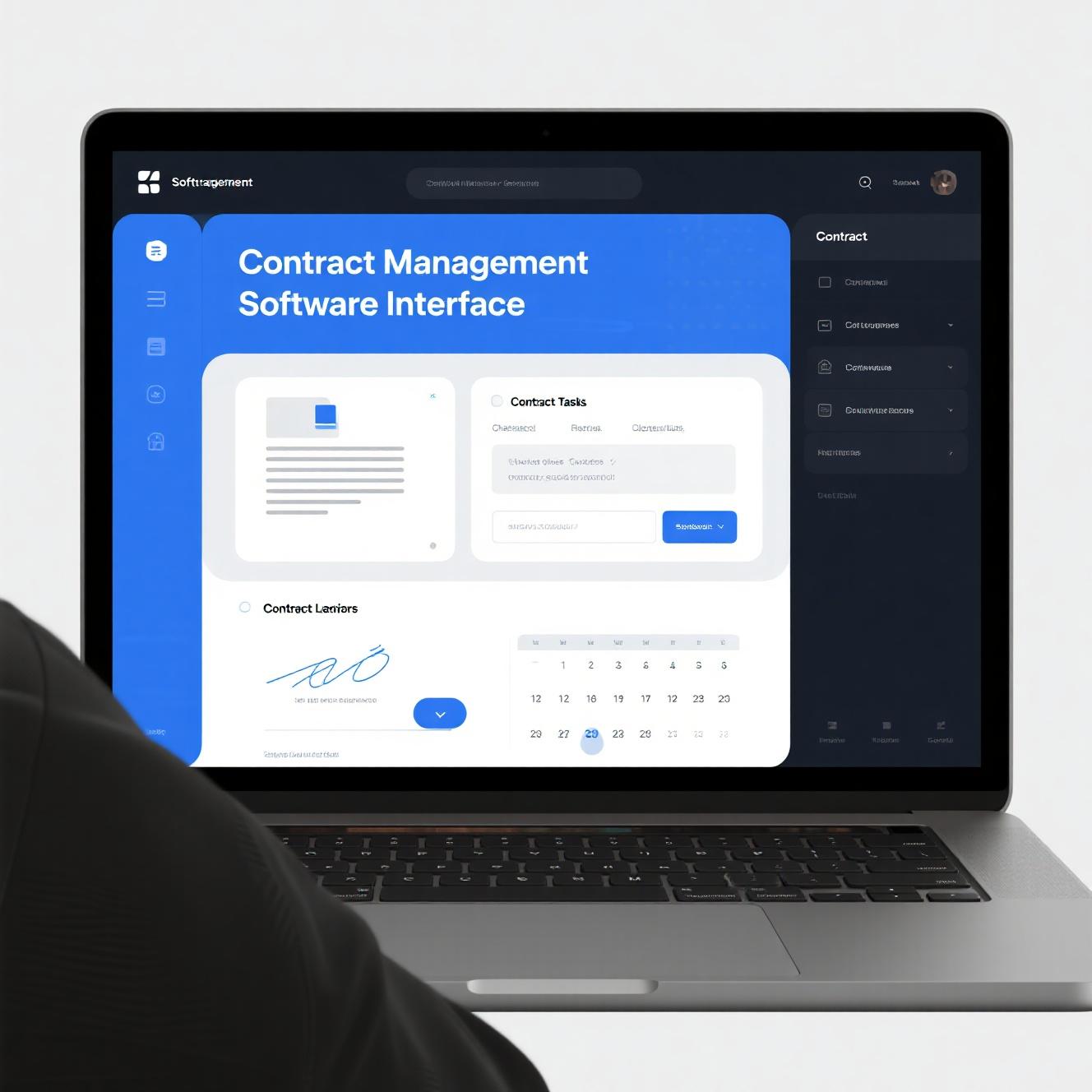
Managing contracts efficiently is one of the most overlooked challenges facing small businesses today. Whether you are a freelancer juggling client agreements, a growing agency handling multiple vendor relationships, or a small business owner trying to keep track of leases, service contracts, and NDAs, the chaos of paper-based or spreadsheet-based contract management can quietly drain your productivity and expose you to legal risk.
Contract management software solves this problem by centralizing all your agreements in one searchable, organized location. You can track key dates like renewal deadlines and expiration notices, store all related documents and correspondence alongside each contract, and ensure nothing falls through the cracks. For small businesses that cannot afford a dedicated legal operations team, the right software makes contract management something one person can handle confidently.
The good news for 2026: several excellent platforms now offer genuinely useful free tiers designed specifically for small businesses. In this guide, I have tested and reviewed the 10 best free contract management software options available this year. Each one earns your consideration.
Why Contract Management Software Matters for Small Businesses in 2026
Contract disputes and missed deadlines cost small businesses millions of dollars every year. A survey by the International Association for Contract and Commercial Management found that poor contract management is the primary cause of financial leakage — businesses routinely fail to capture 5-15% of the value they are entitled to under their own contracts, simply because they lose track of terms, deadlines, and obligations.
For small businesses, these losses are proportionally much more damaging. Missing a renewal deadline might mean automatically renewing a vendor contract at a higher rate. Failing to track an expiration date might leave you suddenly exposed without insurance coverage or critical service agreements. A simple missed clause in a client agreement could cost you in a dispute.
Free contract management software addresses these risks without requiring a significant financial investment. Here is what effective contract management delivers:
Risk mitigation: Centralized tracking ensures you never miss a renewal deadline, an expiration date, or a notification obligation. Automated reminders give you time to renegotiate, cancel, or renew before critical dates pass.
Time savings: Searching through email threads, shared drives, or filing cabinets for a specific contract version wastes hours every month. A proper contract management system puts every agreement a click away.
Financial visibility: Understanding your contractual commitments helps with cash flow planning, vendor budgeting, and identifying opportunities to renegotiate or consolidate spending.
Compliance and audit readiness: When you need to prove what was agreed, having organized, timestamped contract records is invaluable. This is especially important in regulated industries.
Collaboration: Modern contract management tools let multiple team members access and comment on contracts, improving cross-functional visibility and reducing the bottleneck of a single person managing all agreements.
How We Selected and Tested These Tools
I evaluated more than 20 contract management platforms available to small businesses in 2026, testing each free tier thoroughly. My selection criteria focused on:
- Functionality in the free plan: The free tier needed to offer genuinely useful contract management features, not just a trial or a heavily gimped version.
- Ease of use: Small businesses do not have time for steep learning curves. The interface needed to be intuitive enough that a new user could create and track a contract within 15 minutes.
- Contract lifecycle coverage: Ideal tools covered creation, review, signature, storage, and renewal tracking — not just one piece of the puzzle.
- Storage and collaboration features: I looked for tools that allowed multiple users, provided adequate document storage, and made collaboration smooth.
- Integration capabilities: The ability to connect with other business tools like CRM systems, calendar apps, and e-signature services added significant value.
- Customer support quality: Even on free plans, access to helpful documentation and responsive support mattered.
Each tool was tested by creating sample contracts, setting up renewal reminders, uploading related documents, and evaluating the overall workflow experience.
The 10 Best Free Contract Management Software for Small Business 2026
1. Contractbook — Best Free Contract Management Software Overall
Price: Free plan available | Paid plans from $15/month
Contractbook has rapidly become one of the most trusted names in small business contract management, and its free tier is genuinely impressive. The platform covers the entire contract lifecycle — from drafting and negotiation to signing and ongoing management — all within an interface that feels purpose-built for small teams.
The free plan gives you up to 3 active contracts, unlimited document storage, e-signature capabilities via DocuSign or Signaturit integration, and automated deadline tracking with email reminders. You can upload your own contract templates or build new ones using Contractbook drag-and-drop editor, which makes customization straightforward without any legal or technical background.
What sets Contractbook apart is its attention to the post-signing phase. Many free contract tools focus only on getting a signature and then abandon you. Contractbook continues tracking your contract after it is signed, reminding you of upcoming renewals, flagging expired agreements, and keeping all related documents and correspondence organized alongside each contract.
The platform also offers a useful client portal where counterparties can review and sign contracts without needing their own account, which dramatically speeds up deal cycles. For small businesses working with clients who are less technically sophisticated, this friction-free signing experience is a genuine advantage.
Pros: Intuitive interface, strong post-signature tracking, client portal included, good template library
Cons: 3-contract limit on free plan is restrictive for active small businesses
Best for: Small businesses and freelancers who want a complete contract lifecycle solution at no cost
2. Dropbox Sign (formerly HelloSign) — Best Free Contract Management with E-Signature
Price: Free plan available | Paid plans from $15/month
Dropbox Sign is primarily known for its best-in-class e-signature functionality, but its free plan includes enough contract management features to serve small businesses well. The platform lets you create, send, and sign contracts and agreements with legally binding digital signatures, then organize and track them from a clean, minimal dashboard.
The free plan allows 5 signature requests per month, which is enough for very small businesses with limited contract volume. Each signature request can include multiple signers, custom fields, and role-based signing order. Once a contract is signed, it is stored securely in your Dropbox Sign account with a complete audit trail.
Where Dropbox Sign earns its place here is in the quality of its e-signature experience. The signatory receives a clean, professional request via email and can sign from any device — desktop, tablet, or mobile — without needing to create an account or install software. Signed documents are automatically stored and searchable.
For small businesses that need contract management primarily as a way to get signatures on agreements, Dropbox Sign free tier is an excellent starting point. The integration with the broader Dropbox ecosystem also means your signed contracts can sync seamlessly with your existing file storage.
Pros: Best-in-class e-signature experience, clean professional interface, complete audit trail, Dropbox integration
Cons: 5 requests/month on free plan limits high-volume users; contract management features are secondary to signing
Best for: Small businesses focused on getting contracts signed quickly and professionally
3. PandaDoc — Best Free Contract Management Software for Sales-Focused Teams
Price: Free plan available | Paid plans from $19/month
PandaDoc occupies an interesting middle ground between contract management and proposal automation. Its free plan is generous by the standards of most platforms, offering 5 free documents per month with unlimited templates, e-signatures, and payment collection capabilities.
The contract management features within PandaDoc are robust. You can create contracts from scratch or use one of hundreds of pre-built templates organized by industry and use case. The drag-and-drop editor lets you customize contracts with your branding, add dynamic fields that auto-populate client data, and include pricing tables that automatically calculate totals.
Where PandaDoc really shines is in its workflow automation. You can set up approval flows where a contract requires sign-off from a manager before it goes to the client, create version control so you can track changes and maintain a clear revision history, and set up automated reminders for contracts that have not been signed within a defined window.
The analytics dashboard on the free plan gives you visibility into when recipients open your contracts, which sections they spend the most time reviewing, and when they are most likely to sign — data that is invaluable for refining your sales process.
Pros: Powerful proposal and contract builder, strong analytics, payment collection on free plan, excellent template library
Cons: 5-document limit on free plan is tight; interface has a learning curve
Best for: Sales-focused small businesses that need contracts as part of a broader revenue workflow
4. Docyt — Best Free Contract Management Software for Accounting Integration
Price: Free plan available | Paid plans from $25/month
Docyt stands out for its deep integration between contract management and accounting — a combination that is surprisingly rare in the small business software space. If you are tired of managing contracts in one place and financial records in another, Docyt brings them together intelligently.
The free plan includes unlimited contract storage, smart document recognition that auto-extracts key terms like payment amounts, dates, and renewal clauses, and integration with QuickBooks Online for seamless financial tracking. When a contract is signed, Docyt can automatically create corresponding invoices or expense entries in your accounting software.
The contract review workflow is another strong feature. Docyt uses AI to highlight potentially unfavorable clauses, unusual terms, and deviations from your standard contract language. For small businesses that do not have in-house legal counsel, this automated review serves as a useful first-pass risk assessment.
The mobile app is well-designed, allowing you to photograph a paper contract and have Docyt extract and organize the key information automatically. For businesses that still deal with signed paper contracts, this alone is worth the free plan.
Pros: Accounting integration, AI-powered clause review, smart document recognition, mobile scanning
Cons: Free plan limits on automations; interface less polished than competitors
Best for: Small businesses wanting to connect contract management with their accounting workflow
5. Zoho Contracts — Best Free Contract Management Software Within Zoho Ecosystem
Price: Free plan available | Paid plans from $15/month
Zoho Contracts is the contract management arm of the broader Zoho business suite, and for small businesses already using Zoho CRM, Zoho Invoice, or other Zoho products, it integrates seamlessly into an ecosystem that already knows your business. If you are not in the Zoho ecosystem, the free plan still offers enough standalone value to be worth considering.
The free plan includes unlimited contract storage, a solid template library, automated workflow routing for contract reviews and approvals, and deadline tracking with customizable reminder alerts. You can upload your own contract documents or build new ones from scratch, and the platform supports custom fields so you can track the metadata that matters most to your business.
Zoho Contracts stands out for its approval workflows. You can set up multi-step review processes where contracts above a certain value or of a certain type automatically route to the appropriate person for approval before being sent to the counterparty. For small businesses that need to maintain some internal control over contract commitments, this is a valuable feature.
The integration with Zoho Sign provides legally binding e-signatures within the same ecosystem, eliminating the need for third-party e-signature integrations.
Pros: Strong ecosystem integration, approval workflows, customizable fields, Zoho Sign e-signature included
Cons: Less useful if not using other Zoho products; interface feels dated compared to newer competitors
Best for: Small businesses invested in the Zoho ecosystem that want integrated contract management
6. Google Drive + Docuseal — Best Free Contract Management Using Existing Tools
Price: Free (using Google Drive + Docuseal integration)
For small businesses that already rely on Google Workspace, this combination offers a surprisingly capable free contract management solution with zero additional software cost. Google Drive provides unlimited document storage in a familiar, collaborative environment, while Docuseal adds e-signature and basic contract lifecycle management as a free-to-use web application.
Docuseal lets you upload any document, add signature fields and initials fields at specific locations, send it to signatories via email, collect legally binding signatures, and store the completed, timestamped versions in a designated Google Drive folder — all without paying for a subscription.
The free version of Docuseal supports unlimited documents and signatories, making it genuinely free rather than a trial. Completed contracts are stored with a complete audit trail including timestamps and IP addresses for each signature.
This combination works best for small businesses with relatively simple contract management needs — primarily creating agreements, getting them signed, and storing them securely. It does not offer the automated renewal reminders, approval workflows, or AI clause review that dedicated platforms provide, but for businesses on a strict budget, it covers the essentials without spending a dollar.
Pros: Zero cost, leverages existing Google Drive storage, unlimited documents on Docuseal, complete signature audit trail
Cons: No automated renewal reminders, no approval workflows, manual organization required
Best for: Budget-conscious small businesses already using Google Workspace with straightforward contract needs
7. Eversign — Best Free Contract Management Software for Team Collaboration
Price: Free plan available | Paid plans from $13/month
Eversign is another e-signature platform that offers enough contract management features in its free plan to serve small businesses well. What makes Eversign particularly valuable is its focus on team collaboration — the free plan supports up to 3 team members, which is unusual for free contract management tiers.
The platform covers the full signing workflow: you can create contracts using templates or from scratch, assign signature fields and order signers, send documents for signature, and store completed agreements in an organized, searchable archive. The free plan includes unlimited documents per month, which is one of the most generous free offerings available.
Eversign includes a useful “Action Calendar” that displays upcoming deadlines and renewal dates across all your contracts in a single view — a feature many competitors reserve for paid plans. This visual overview makes it easy to plan your month and ensure nothing critical is missed.
The team collaboration features extend to being able to set role-based permissions for different team members, so your accountant can see financial contract details without having full admin access, for example.
Pros: Unlimited documents on free plan, supports 3 team members, Action Calendar for deadlines, role-based permissions
Cons: 1 document per day sending limit on free plan; interface is functional but not as polished as PandaDoc or Contractbook
Best for: Small teams needing collaborative contract management on a budget
8. SignHouse — Best Free Contract Management Software for Simplicity
Price: Free plan available | Paid plans from $12/month
SignHouse was built from the ground up to be the simplest possible way to get a document signed and managed, and its free plan reflects that philosophy. There is no bloat, no overwhelming feature set, and no steep learning curve — just a clean, fast way to create, send, sign, and track contracts.
The free plan allows unlimited signature requests and documents, which is refreshingly generous. You can create contracts using a simple editor, add signature and initial fields by dragging them onto the document, and send to any number of signatories. Each signing request tracks its status — sent, viewed, signed, or declined — in a clean dashboard.
SignHouse also offers a small but useful library of pre-built contract templates organized by common small business use cases: NDAs, service agreements, employment contracts, and quote approvals. These templates are free to use and customizable, giving you a quick starting point without needing to build a contract from a blank page.
For renewal tracking, SignHouse includes a basic deadline reminder system that sends email alerts when contract end dates approach. While not as sophisticated as Contractbook automated renewal workflows, these reminders cover the most critical tracking need for small businesses.
Pros: Unlimited signature requests on free plan, extremely simple interface, useful template library, basic renewal reminders
Cons: Limited advanced contract management features; no team collaboration features on free plan
Best for: Freelancers and very small businesses wanting the simplest possible contract signing solution
9. Legalesign — Best Free Contract Management Software for Professional Services
Price: Free plan available | Paid plans from $20/month
Legalesign was designed specifically for professional services firms — accountants, consultants, lawyers, and agencies — that need to manage large volumes of client agreements and maintain high standards of compliance. Its free plan reflects this professional focus, offering genuinely useful tools without cutting corners on the features that matter most in regulated industries.
The free plan supports up to 10 documents per month, which is enough for small professional services firms with moderate contract volumes. Each document can include multiple signers, custom fields, and sequenced signing orders. Legalesign audit trail is among the most detailed available, recording not just when a document was signed but every step of the signing process including IP address, browser type, and identity verification steps.
Where Legalesign differentiates is in its compliance features. The platform maintains tamper-evident seals on completed documents — any unauthorized modification to a signed PDF is immediately detectable. This is particularly valuable for businesses in regulated industries where document integrity is a compliance requirement.
Legalesign also integrates with a wide range of business tools including Salesforce, HubSpot, Zapier, and major accounting platforms, making it possible to incorporate contract signing into your existing workflows without significant process redesign.
Pros: Highly detailed audit trails, tamper-evident documents, compliance-focused design, broad integrations
Cons: 10-document monthly limit; professional services focus may feel over-engineered for simpler needs
Best for: Professional services firms with compliance requirements needing robust contract management
10. ContractsCouncil — Best Free Contract Management Resource
Price: Free (web-based tool) | Premium services available
ContractsCouncil takes a different approach from traditional software — it provides a free online platform for creating, managing, and tracking contracts, with a strong emphasis on helping small business owners understand what they are signing. The platform combines contract templates, a simple management dashboard, and educational resources about contract terms and clauses.
The free tier gives you access to a library of hundreds of professionally drafted contract templates covering virtually every common small business use case: service agreements, NDAs, employment contracts, partnership agreements, licensing agreements, and more. Each template includes plain-language explanations of key clauses, helping non-lawyers understand what they are agreeing to.
ContractsCouncil management dashboard lets you store signed and unsigned contracts, track deadlines and renewals, assign team members to specific contracts, and receive email reminders before critical dates. The interface is straightforward and focused on practical usability rather than feature density.
While ContractsCouncil is not a full-featured contract lifecycle management platform, it excels as a free resource for small businesses that want both the documents and the management tools in one place. The educational component is a genuine differentiator.
Pros: Extensive free template library, clause-by-clause explanations, basic deadline tracking, educational resources
Cons: Less robust as a standalone contract management platform; no native e-signature integration
Best for: Small business owners wanting contract templates and management in one free platform
How to Choose the Right Free Contract Management Software
With 10 strong options, here is a practical decision framework for small businesses:
Evaluate your actual contract volume: If you sign fewer than 5 contracts per month, almost any free plan will work. If you are at 10 or more, prioritize tools with generous or unlimited free tiers like Eversign, SignHouse, or Google Drive + Docuseal.
Consider your ecosystem: If you already use Zoho products, Zoho Contracts is the natural choice. If you are deep in the Dropbox ecosystem, Dropbox Sign makes sense. If Google Workspace is your home base, Google Drive + Docuseal gives you the best of both worlds at zero additional cost.
Think about the full contract lifecycle: Some tools like Dropbox Sign focus primarily on the signing moment. Others like Contractbook and Docyt cover everything from pre-signature negotiation through post-signature management. Decide where your biggest pain points are and choose accordingly.
Assess your team’s technical comfort level: Simpler tools like SignHouse and ContractsCouncil are better for teams that will resist complexity. Power users will appreciate the deeper feature sets of PandaDoc and Contractbook.
Look at upgrade path: The best free plan is one that genuinely serves your current needs, but also has a paid tier you would actually want to move to as your business grows.
Common Contract Management Mistakes Small Businesses Should Avoid
Storing contracts in email: Searching your inbox for a specific contract version is a daily productivity drain and a compliance risk. Every contract should live in a centralized, organized location.
Missing renewal deadlines: Automating renewal reminders is the single most impactful improvement most small businesses can make to their contract management. Set reminders 30, 60, and 90 days before any renewal or expiration date.
Using the same contract for every situation: Cookie-cutter contracts rarely fit specific situations well. Invest time in customizing templates for your most common contract types.
Ignoring the fine print on auto-renewal clauses: Many vendors include auto-renewal clauses that lock you in unless you provide notice within a narrow window. Tracking these proactively can save significant money.
Not tracking contract variations: When you negotiate custom terms with a client, make sure those variations are clearly documented and attached to the signed contract.
Conclusion: Your Contract Management Action Plan
Free contract management software in 2026 is genuinely capable. Here are my top recommendations by use case:
- Best overall: Contractbook — the most complete free contract lifecycle management experience
- Best for e-signatures: Dropbox Sign — the gold standard for professional signing experiences
- Best for sales teams: PandaDoc — powerful contract and proposal automation
- Best for accounting integration: Docyt — uniquely connects contracts to your financial records
- Best for zero budget: Google Drive + Docuseal — uses what you already have at no additional cost
- Best for simplicity: SignHouse — fastest path from need to signed contract
Start with the free plan that matches your primary need, create or upload your three most important contracts, set up your renewal reminders, and build from there. Contract management is one of those areas where doing something is vastly better than doing nothing — even a basic free solution will reduce your risk and save you time from day one.
Frequently Asked Questions
What is the best completely free contract management software for small business?
Contractbook and Google Drive + Docuseal offer the most genuinely useful free tiers. Contractbook provides full lifecycle management while Google Drive + Docuseal leverages existing infrastructure at zero cost.
Can free contract management software include e-signatures?
Yes — Dropbox Sign, Eversign, SignHouse, and PandaDoc all include e-signature capabilities in their free plans. E-signatures collected through these platforms are legally binding in most jurisdictions.
How do I manage contract renewals with free software?
Most free contract management tools include renewal reminder features. Contractbook, Eversign, and ContractsCouncil all offer deadline tracking with automated email reminders before renewal or expiration dates.
Is contract management software secure?
Yes — reputable platforms use bank-level encryption, maintain detailed audit trails, and comply with regulations like SOC 2 and GDPR. Legalesign goes further with tamper-evident document seals for compliance-sensitive environments.
Can I use contract management software on my phone?
All the tools reviewed here offer mobile-responsive interfaces. Docyt offers a dedicated mobile app with document scanning capabilities, which is particularly useful for businesses dealing with paper contracts.
What is the difference between contract management and e-signature software?
E-signature software focuses specifically on getting a signature on a document. Contract management software covers the entire lifecycle — creating, negotiating, signing, storing, tracking, and renewing contracts. Many tools like Dropbox Sign and PandaDoc offer both capabilities.
How many contracts can I manage on a free plan?
This varies significantly by platform. Contractbook limits you to 3 active contracts. Dropbox Sign allows 5 signature requests per month. Eversign and SignHouse offer unlimited documents on their free plans. Google Drive + Docuseal imposes no limits on documents.
For more small business tools and resources, explore these related guides:
- 10 Best Free Freelancer Contract Templates 2026 — Essential contract templates for freelancers
- 10 Best Free Quoting Software for Small Business 2026 — Professional quoting to pair with solid contracts
- 12 Best Free CRM Software for Small Business 2026 — Managing customer relationships alongside contracts
Leave a Reply