
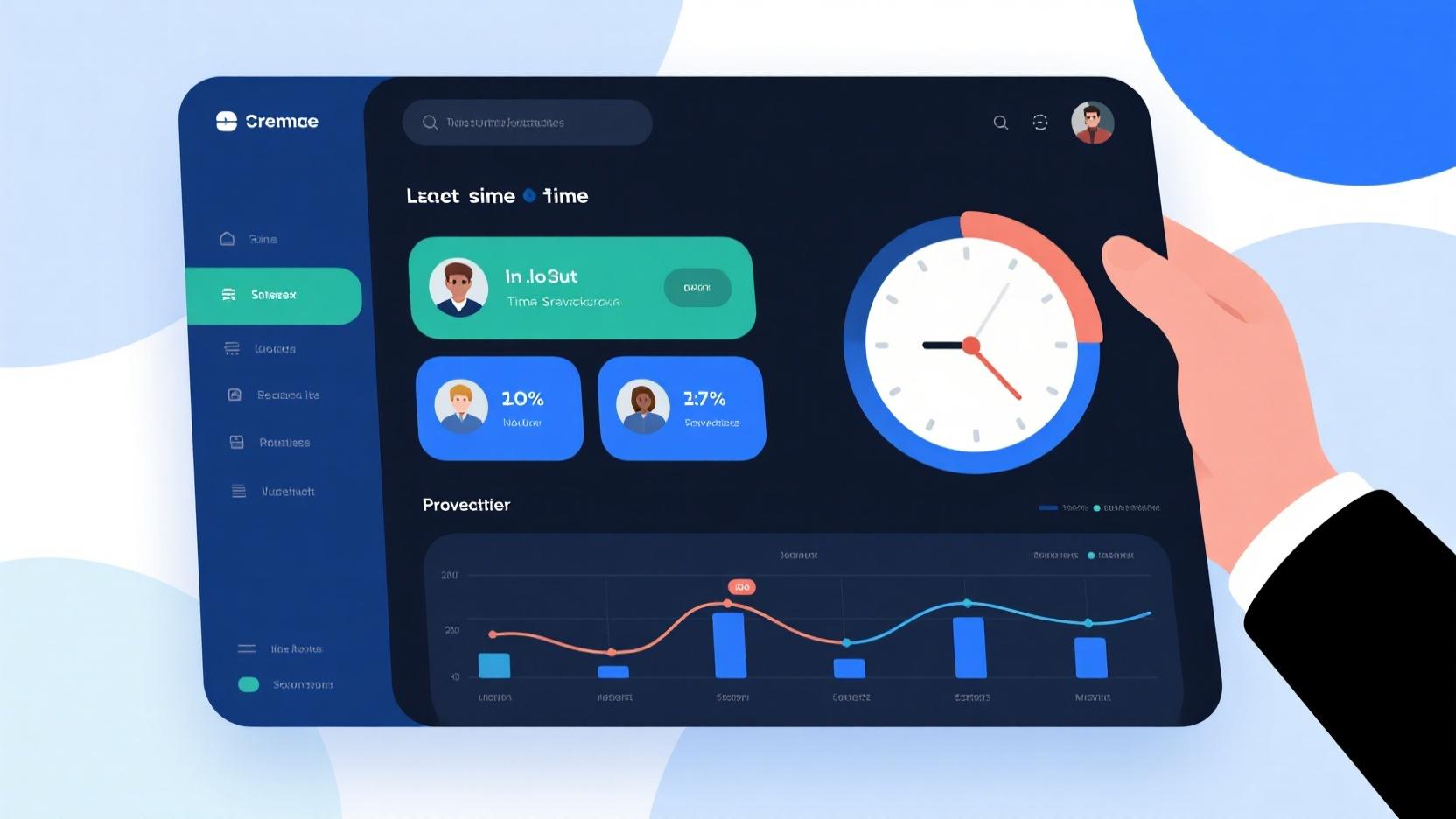
Managing remote teams brings unique challenges around accountability, productivity measurement, and ensuring fair compensation for work performed. Time tracking apps for remote employees have emerged as essential tools for modern organizations navigating the shift toward distributed workforces while maintaining visibility into how work gets accomplished.
For businesses transitioning to remote work or scaling existing distributed teams, selecting the right time tracking solution directly impacts operational efficiency, payroll accuracy, and ultimately, profitability. The good news: numerous capable free options now provide functionality that would have required significant investment just years ago.
In this comprehensive guide, we’ll examine the best free time tracking apps for remote employees in 2026, evaluating features, usability, and suitability for different business contexts. Whether you’re managing a small remote team or overseeing hundreds of distributed workers, you’ll find the insights needed to select the ideal solution for your organization’s unique requirements.
Why Time Tracking Matters More for Remote Work
The shift to remote work fundamentally changes how managers assess productivity and ensure appropriate work distribution. In office environments, visual cues and spontaneous interactions provide ongoing feedback about employee engagement and output. Remote work removes these informal monitoring mechanisms, requiring more deliberate approaches to understanding whether teams are functioning effectively.
Time tracking addresses several critical remote work challenges. First, it provides objective data for accurate payroll processing, especially important when employees work varying hours across time zones. Second, it enables analysis of how time actually gets spent versus estimates, revealing opportunities for process improvement. Third, it creates documentation supporting client billing when applicable.
Beyond oversight functions, time tracking benefits employees themselves. Research consistently shows that employees who track their time develop greater awareness of how they allocate their work hours, often leading to improved time management habits and reduced burnout from overwork. The transparency created by time tracking often benefits both employers and employees through clearer expectations and mutual accountability.
Top 10 Best Free Time Tracking Apps for Remote Employees
1. Toggl Track (Free Tier)
Toggl Track has established itself as the gold standard for accessible time tracking, combining powerful features with remarkable ease of use. The free tier supports unlimited users and projects, making it particularly attractive for growing remote teams. The browser extension, desktop app, and mobile apps ensure time tracking fits naturally into existing workflows regardless of which tools team members use daily.
The one-click timer activation enables effortless time capture without disrupting work flow. Team members start timers when beginning tasks and stop them when finished, creating comprehensive time records with minimal effort. This frictionless approach overcomes the primary barrier to consistent time tracking adoption—user resistance to manual data entry.
Reporting capabilities provide managers with valuable insights into team productivity patterns. One-click reports show time by project, client, or team member, with visual presentations that make patterns immediately apparent. The Pomodoro timer integration supports employees who benefit from structured work intervals, promoting both focus and regular breaks.
2. Clockify (Completely Free)
Clockify distinguishes itself as the most generous free time tracking solution available, offering unlimited users, projects, and tracking history with no time limitations. This makes it particularly appealing for budget-conscious businesses or startups building their first remote work infrastructure without significant software investment.
The comprehensive feature set in Clockify’s free tier includes project budgeting, team scheduling, and detailed reporting that many competitors gate behind paid tiers. Team managers can set hourly rates per team member, track billable versus non-billable time, and generate invoices directly within the platform—capabilities that typically require expensive subscriptions elsewhere.
Calendar integration with Google Calendar, Outlook, and Apple Calendar provides alternative time entry methods for team members who prefer scheduling their work in calendar applications. This flexibility accommodates diverse work styles while ensuring consistent time capture across the organization.
3. Hubstaff (Free Tier for 5 Users)
Hubstaff takes a comprehensive approach to remote team management, combining time tracking with productivity monitoring, scheduling, and client management features. The free tier supports up to 5 users, making it suitable for small remote teams without immediate need for enterprise-scale capabilities.
Productivity monitoring features provide managers with insights beyond simple time capture. Screenshots, app and website usage tracking, and idle time detection help identify potential productivity issues before they impact project outcomes. This level of visibility proves particularly valuable when managing contractors or employees in different time zones where direct supervision isn’t practical.
The geolocation tracking capabilities support mobile workforces conducting field activities. Managers can verify that field employees are working at assigned locations, while employees gain documentation of their travel and on-site work activities. This transparency benefits both parties when documenting work for client billing or resolving disputes.
4. RescueTime (Free Tier)
RescueTime approaches time tracking from a productivity optimization perspective rather than surveillance focus. The automatic time capture runs silently in the background, categorizing time spent across applications and websites without requiring manual timer starts or stops. This passive approach often proves more sustainable for individual contributors who struggle with manual time tracking compliance.
Weekly productivity reports highlight where time actually goes versus intentions, revealing patterns that inform better time management. The FocusTime feature blocks distracting websites during designated work periods, helping remote employees maintain concentration without external accountability mechanisms.
While RescueTime lacks some team management features of alternatives, its individual-focused approach makes it excellent for remote employees who prefer autonomy combined with self-improvement tools. Managers can review team productivity trends without micromanaging individual time allocations.
5. TimeCamp (Free Tier)
TimeCamp offers a well-rounded time tracking solution with particular strength in project accounting and resource planning. The free tier includes unlimited users and projects, with robust features for tracking billable hours, managing project budgets, and generating client invoices.
Automatic time tracking eliminates the need for manual timer management, with the software detecting active application and website usage to populate time entries automatically. This approach ensures accurate time capture even when employees forget to start or stop timers during busy work periods.
The visual time tracking views—including calendar and timeline presentations—help both employees and managers understand work patterns at a glance. Integration with over 100 applications including project management tools, CRM systems, and accounting software ensures time data flows naturally into existing business processes.
6. Harvest (Free for 1 User)
Harvest has built a strong reputation among design agencies and creative professionals for its elegant interface and client-focused features. The free tier supports single users, making it ideal for solo freelancers managing their own time, though larger teams require paid subscriptions.
The time tracking experience prioritizes simplicity and speed, with timers accessible from multiple surfaces including browser, desktop, and mobile apps. The one-tap timer activation means even the busiest professionals can maintain consistent time tracking without disrupting their creative flow.
Invoicing and expense tracking features make Harvest a comprehensive solution for freelancers billing clients by the hour. The visual reporting shows time distribution across projects and clients, helping freelancers understand where their effort generates the most revenue and identify opportunities for better project selection.
7. Everhour (Free for 5 Projects)
Everhour differentiates itself through deep integration with popular project management platforms including Asana, Trello, Monday.com, and Basecamp. Rather than requiring users to switch between applications, Everhour brings time tracking directly into the tools teams already use daily, dramatically improving adoption rates.
The free tier supports up to 5 projects, sufficient for small teams or those just beginning to implement time tracking. As needs grow, paid tiers add unlimited projects and advanced features like budgeting, scheduling, and team management capabilities.
Budget tracking features enable managers to monitor project health by comparing actual time spent against estimates. This visibility helps identify scope creep or estimation errors early, enabling course corrections before projects run significantly over budget.
8. Timely (Free for 1 User)
Timely takes an innovative approach with its Memory feature, automatically capturing time spent across applications without requiring manual timer management. This AI-powered approach creates detailed time logs that would be impossible through manual entry, providing unprecedented visibility into how work time actually gets allocated.
The visual timeline interface presents time data in intuitive formats that make patterns immediately apparent. Team managers can see at a glance how team members allocate their time, identify bottlenecks, and ensure appropriate workload distribution across the remote team.
While the free tier limits users, the sophisticated automatic time capture makes Timely attractive for individual remote professionals seeking comprehensive time awareness. The data quality from automatic capture exceeds what’s achievable through manual methods, providing richer insights for personal productivity improvement.
9. TrackingTime (Free Tier)
TrackingTime emphasizes simplicity and team collaboration, making it accessible for remote teams without extensive training or onboarding requirements. The free tier includes core time tracking features with unlimited projects, providing solid fundamentals without complexity.
The team calendar view helps distributed teams coordinate across time zones by presenting everyone’s schedules in unified displays. This visibility supports better meeting scheduling and collaboration timing, reducing the friction that remote work creates for team coordination.
Report sharing features enable managers to distribute time reports to clients or stakeholders without requiring platform access. This professional presentation of time data supports transparency in client relationships while maintaining appropriate confidentiality about internal team allocation.
10. Hours Tracker (Mobile Only)
Hours Tracker provides focused mobile time tracking for remote employees who primarily work on smartphones or tablets. While lacking the desktop integrations of cross-platform alternatives, Hours Tracker delivers excellent mobile time tracking experiences for field workers, mobile professionals, and anyone whose work happens primarily away from traditional computers.
The clean, intuitive interface makes time tracking straightforward even for technology-averse employees. Groups and categories organize time entries logically, while reports export in formats suitable for payroll processing or client billing.
For organizations with mobile-heavy workforces, Hours Tracker provides reliable time capture that doesn’t depend on desktop computer access. The ability to track time regardless of location ensures accurate time records for employees working from client sites, home offices, or traditional workspaces.
Key Features to Consider When Choosing Remote Employee Time Tracking
Selecting the right time tracking solution requires understanding which features actually matter for your specific context. While all platforms offer basic time capture, the differentiating features often determine whether your investment delivers genuine value.
Automatic vs. Manual Time Capture: Automatic time tracking through application monitoring reduces user burden but raises privacy considerations. Manual time tracking with timer buttons provides clearer consent but requires consistent user behavior. Many organizations benefit from hybrid approaches that offer automatic capture as an option while supporting manual entry for preference or privacy.
Project and Client Association: Time tracking value multiplies when entries associate with specific projects or clients, enabling profitability analysis and resource planning. Ensure your chosen platform supports the project structures your business requires, including hierarchical project organization and billable rate assignment.
Reporting Depth and Flexibility: Time data only generates value when transformed into actionable insights through reporting. Evaluate reporting capabilities across dimensions including visual presentations, export formats, scheduling (automated report delivery), and customization options for specialized analysis needs.
Implementing Time Tracking Successfully with Remote Teams
Technology selection represents only part of successful time tracking implementation. How you introduce and manage time tracking with remote teams significantly impacts adoption rates, data quality, and ultimate business value delivered.
Involve Team Members in Selection: Remote employees who feel imposed upon by monitoring tools often resist adoption or game the system through minimal compliance. Involving team members in time tracking tool selection, or at least explaining the reasoning behind chosen platforms, builds buy-in rather than resistance.
Focus on Value Creation, Not Surveillance: Emphasize how time tracking benefits employees through better workload management, documentation of accomplishments, and support for fair compensation. When time tracking feels like a tool for employee benefit rather than just management oversight, adoption improves dramatically.
Start Simple and Iterate: Beginning with basic time tracking and adding sophistication as teams develop habits prevents overwhelm while building sustainable practices. Attempting to implement comprehensive time management systems immediately often leads to abandonment and lost investment.
Privacy Considerations for Remote Employee Time Tracking
Balancing legitimate business needs for visibility with employee privacy expectations requires thoughtful approaches that maintain trust while achieving operational objectives.
Be Transparent About What You Track: Clearly communicate what data you collect, how it’s analyzed, and who has access. Employees who understand the reasoning and scope of time tracking demonstrate higher acceptance than those surprised by monitoring activities.
Focus on Outcomes Over Activity: Time tracking based on deliverables and outcomes respects employee autonomy more than continuous activity monitoring. When possible, measure results rather than constant screen monitoring, which employees generally find less invasive and more respectful.
Establish Clear Policies: Document time tracking policies comprehensively, including what constitutes acceptable use, how data gets analyzed, and consequences for policy violations. Clear policies protect both organizations and employees by establishing mutual understanding of expectations.
Frequently Asked Questions
What’s the best free time tracking app for small remote teams?
Clockify offers the most generous free tier with unlimited users and projects, making it ideal for growing remote teams. Toggl Track provides excellent usability with sufficient features for most small team needs. The best choice depends on whether you prioritize unlimited users (Clockify) or superior user experience (Toggl Track).
Is time tracking software ethical for remote work?
Time tracking is ethical when implemented transparently with clear employee knowledge and appropriate scope. Problems arise when monitoring exceeds legitimate business needs, invades private activities, or creates oppressive surveillance atmospheres. Ethical implementation focuses on project and outcome tracking rather than constant activity monitoring.
Can time tracking improve remote employee productivity?
Research shows that time tracking often improves individual productivity through increased awareness of time allocation and accountability for how work hours get spent. The key is implementation approach—employees who view time tracking as supportive tool show productivity gains, while those who feel surveilled often show resistance and stress.
How do remote employees track time across different time zones?
Modern time tracking apps handle time zone differences automatically, recording entries in universal time while displaying local times for each employee. Managers see all entries in their preferred timezone while employees interact with familiar local times, eliminating calculation errors and confusion.
What’s the difference between time tracking and productivity monitoring?
Time tracking records when employees work and how long specific tasks take. Productivity monitoring goes further, analyzing what applications and websites employees use, capturing screenshots, and evaluating engagement levels. Time tracking is generally considered less invasive than productivity monitoring, which raises more significant privacy concerns.
How accurate is automatic time tracking?
Automatic time tracking typically achieves 85-95% accuracy compared to manual time tracking when properly configured. Accuracy depends on application detection logic, employee work patterns, and appropriate category setup. Some time always falls into uncategorized buckets, making hybrid approaches combining automatic capture with manual review most effective.
Leave a Reply